All-in-one POS for restaurants
One system, every counter.
A dine-in order, a kiosk order and an online order land in the same queue with the same numbering: #0001, #K0001, #N0001. Fresto runs on your own machines, keeps your data in your restaurant, and keeps taking orders when the internet stops.
- Windows desktop & Mobile
- Works offline
- 5 interface languages
- Arabic RTL receipts
Distributed in Algeria by EURL TECHPOS — support on +213 698 98 25 25

The problem
Three things that break a service
None of them is bad luck. Each one is a design decision somebody else made for you.
-
The internet drops mid-service
A till that depends on a connection stops selling when the line goes down. Fresto keeps its database on the machine in front of you, so the order, the ticket and the receipt all still happen.
-
The till never tells you if you made money
Sales are not profit. Without recipe costing there is no cost of goods, no gross margin and no net result — only the total that went through the drawer.
-
Kiosk, online and delivery are sold separately
Three subscriptions, three dashboards, three order lists that never agree. Fresto puts every channel into one queue with one numbering scheme.
The ecosystem
One Server terminal. Every counter attached to it.
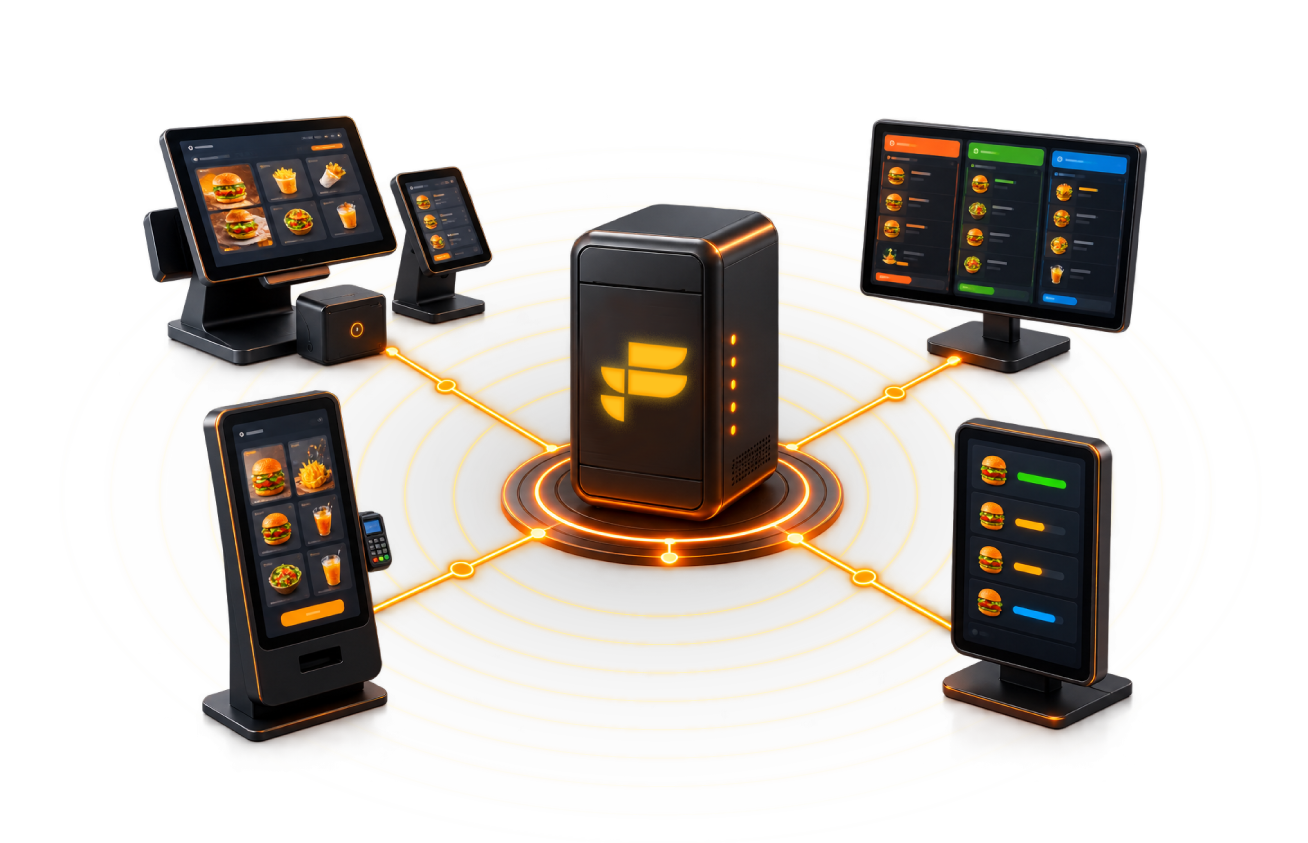
One machine runs the database and holds the truth. Client terminals, the kitchen display, the kiosk and the pickup board all reach it over your own network. The optional frestopos.com connection is the only thing that touches the internet — and the POS pulls from it, so nothing in your restaurant has to be exposed to the outside world.
- A single restaurant, not a branch network.
- Kitchen display, self-order kiosk and pickup board all read the same order queue.
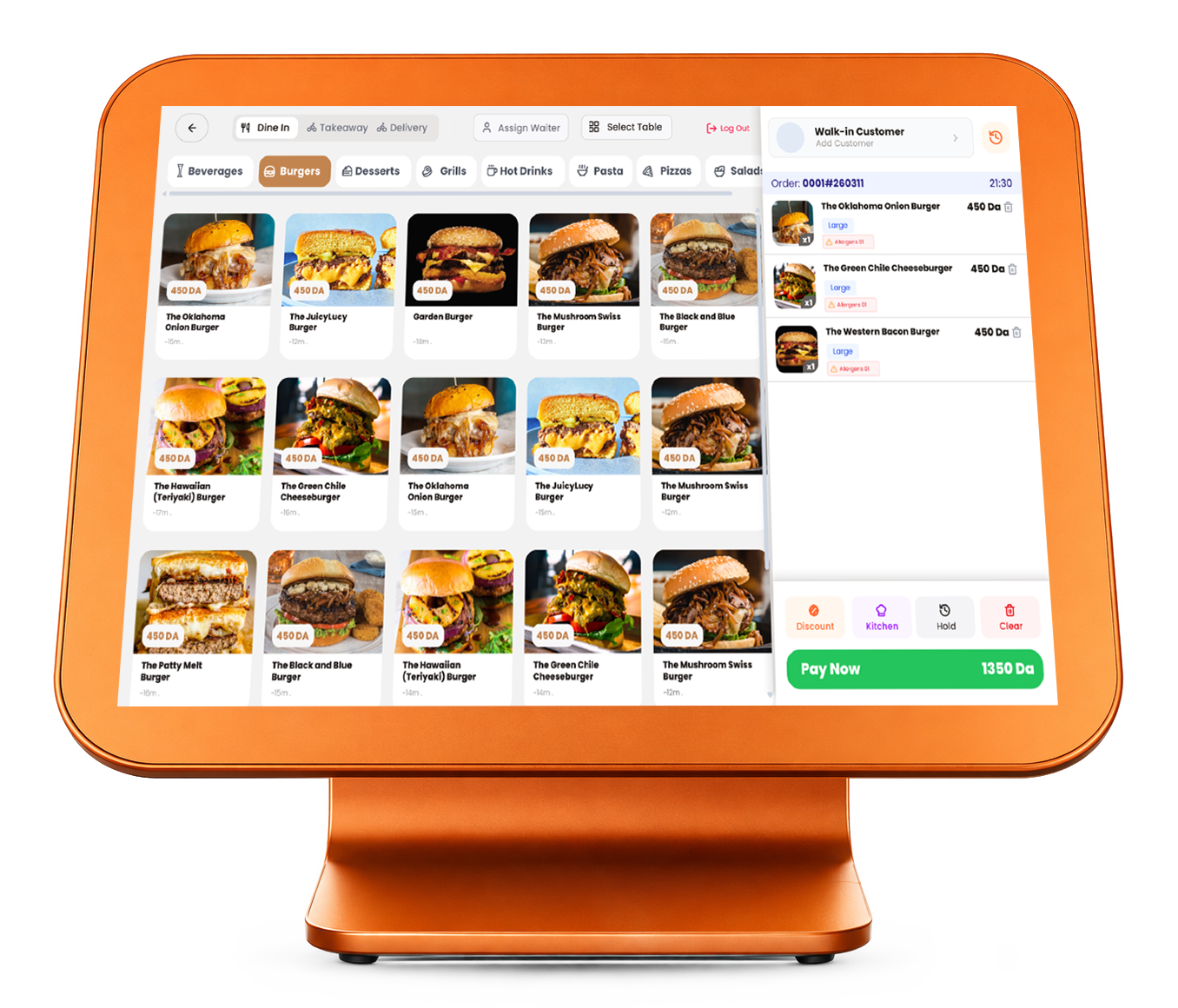
- The order number says where the order came from: #0001 dine-in, #K0001 kiosk, #N0001 online.
- The POS pulls from frestopos.com, no extra hardware needed.
Point of sale
A till your staff can learn in one shift
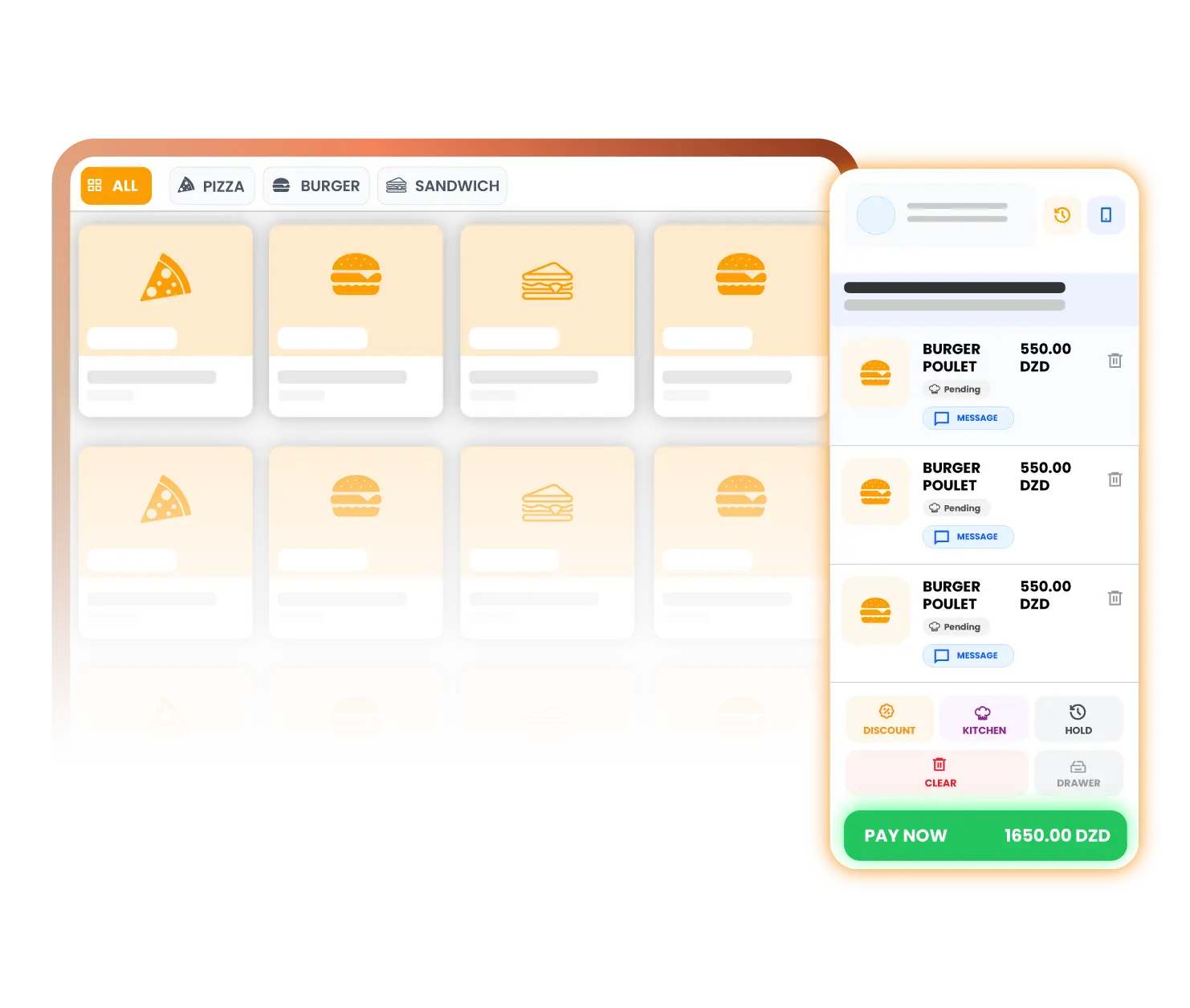
Dine-in, takeaway and delivery on the same screen, with the money handling a busy service actually needs: split payments, tips, discounts that recalculate the tax correctly, and overrides that stay behind a permission.
- Order types for dine-in, takeaway and delivery.
- Held orders with a per-device cap so nothing is lost between terminals.
- Split payment and shared-table payment, plus tips.
- Discounts that recalculate tax on the discounted subtotal, not the original one.
- Variants, add-ons and supplements on any product.
- Weight-based pricing — the weight is entered at the till (there is no scale integration).
- Term and on-account sales with per-customer credit limits.
Tables and floor plan
Your dining tables, drawn the way they really are
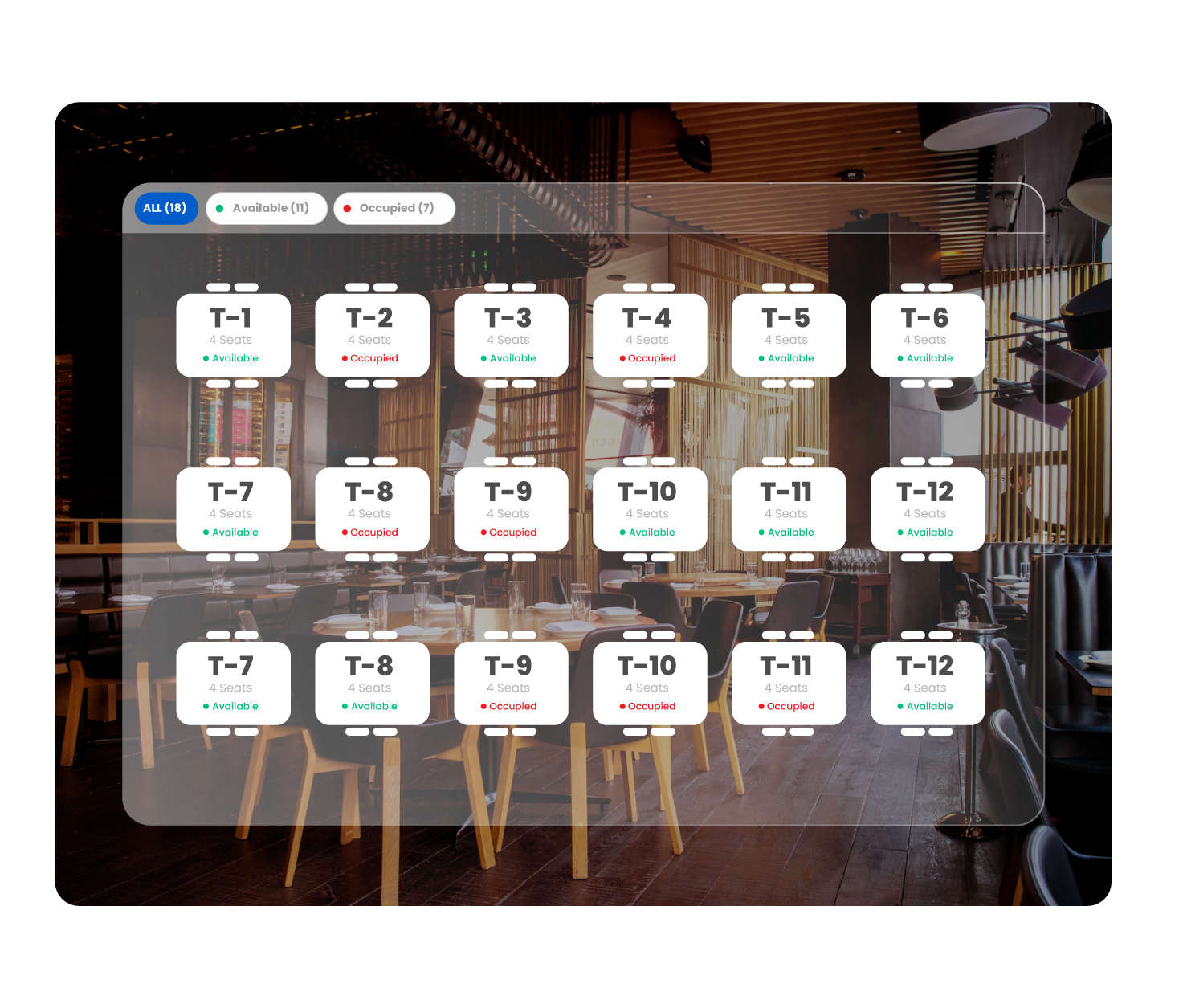
Lay out every floor by dragging tables where they stand. The plan then tells you what is happening: who is seated, for how long, and which table has been waiting too long.
- Multi-floor drag-and-drop layout with seat capacity per table.
- Available, Occupied, Reserved and Cleaning states at a glance.
- Occupancy timer with overdue alerts.
- Transfer a table to another table, including across floors.
- Table sharing: several independent orders on one table.
- Multi-waiter concurrency — "another waiter just seated this table" instead of a silent overwrite.
Kitchen display and printing
Every ticket reaches the right station
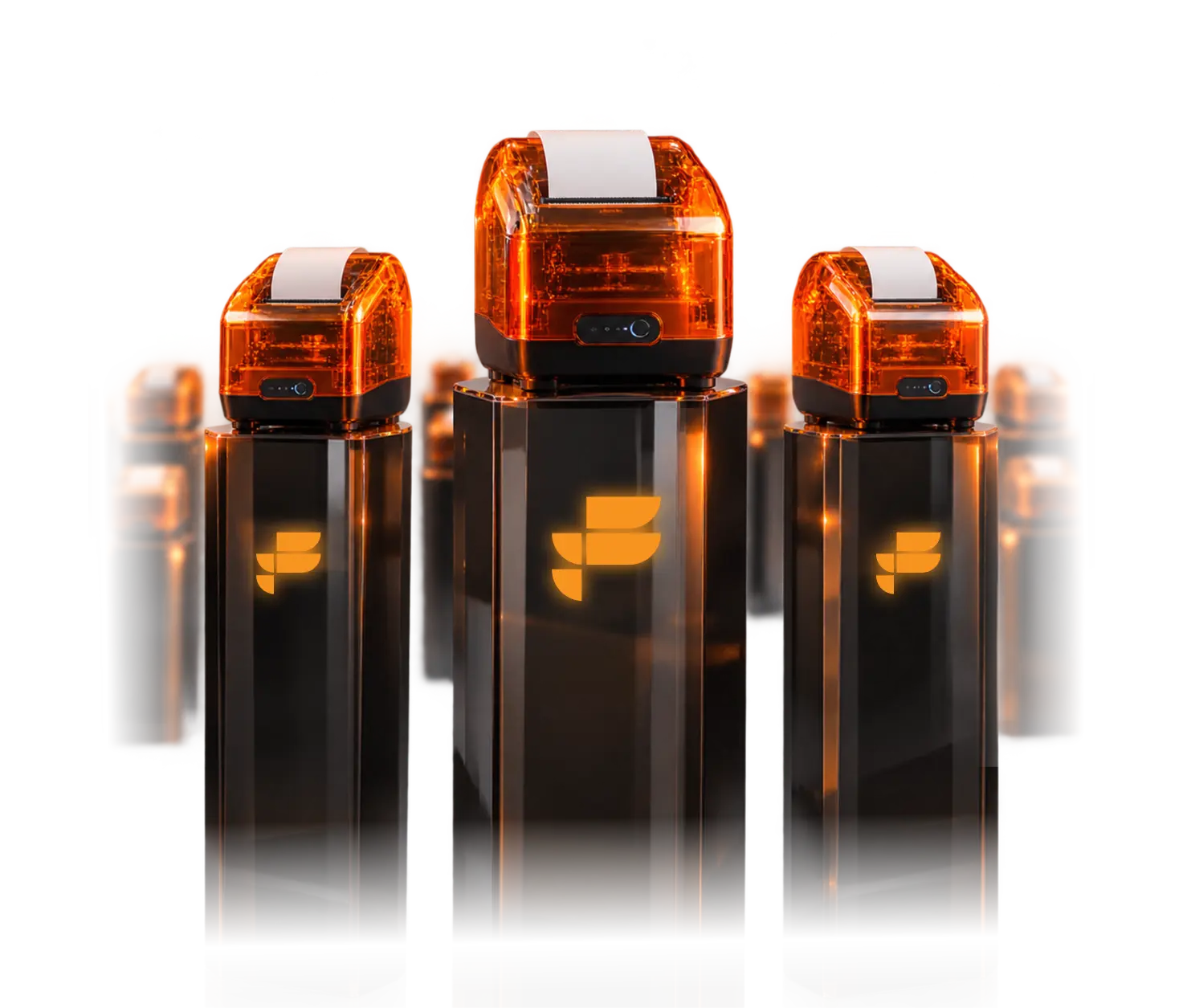
Route each product to the station that cooks it, on screen and on paper. The line works the board; the board keeps the queue honest.
- Multi-station routing with its own printer per station.
- Per-product printer assignment.
- New → Preparing → Ready, with recall for a ticket that came back.
- Bulk start and bulk ready for a rush.
- Payment badges so the kitchen knows what is already paid.
- Automatic cancellation tickets when an order changes.
Self-order kiosk
A counter that serves itself
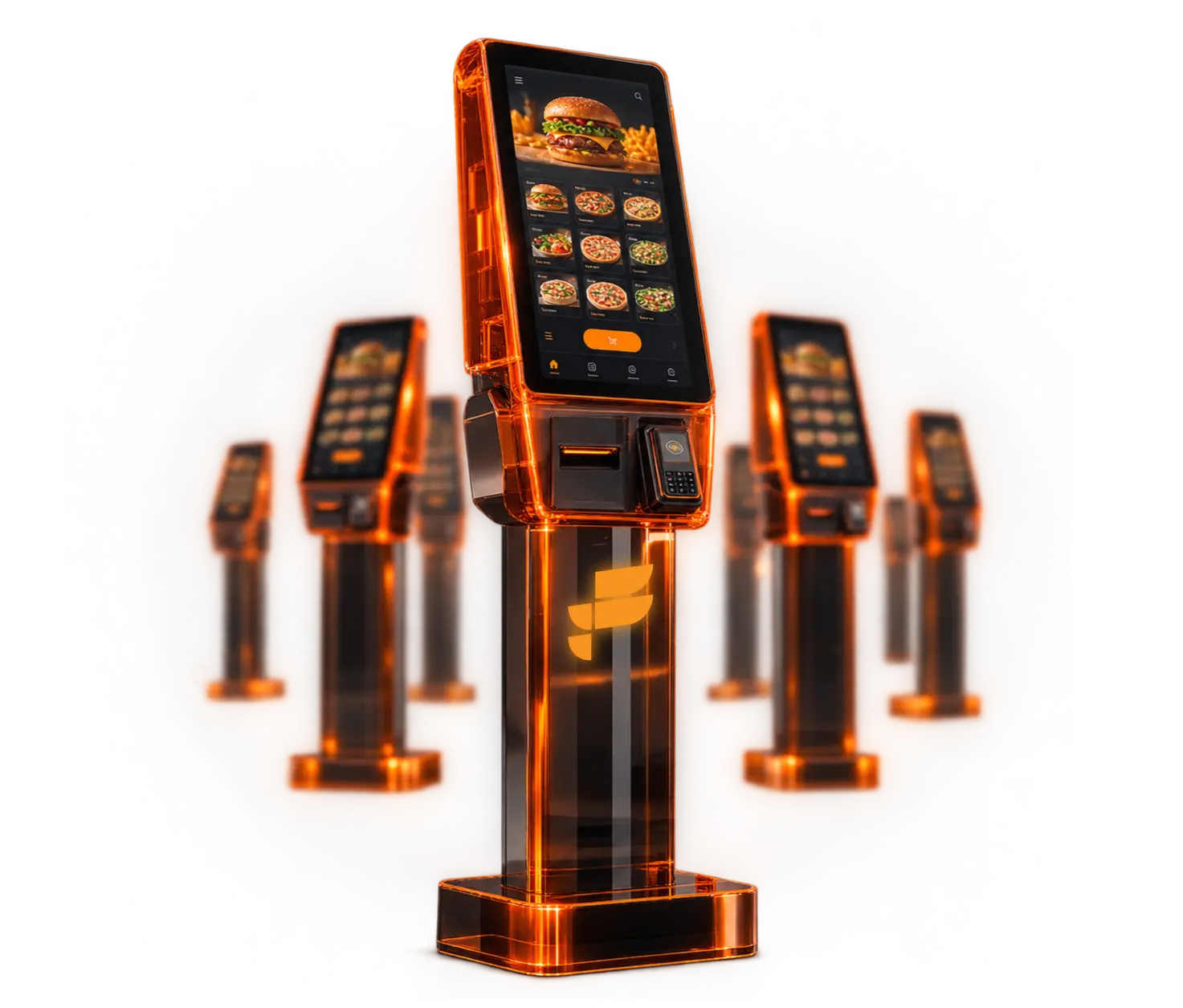
The kiosk is a separately licensed add-on, not part of the core licence. When it is switched on, its orders arrive in the same queue as everything else — stamped #K0001 so the kitchen knows where they came from.
- Attract mode, then a contactless ordering flow.
- Fullscreen lock, idle reset, and a low-performance mode for older hardware.
Queue and pickup
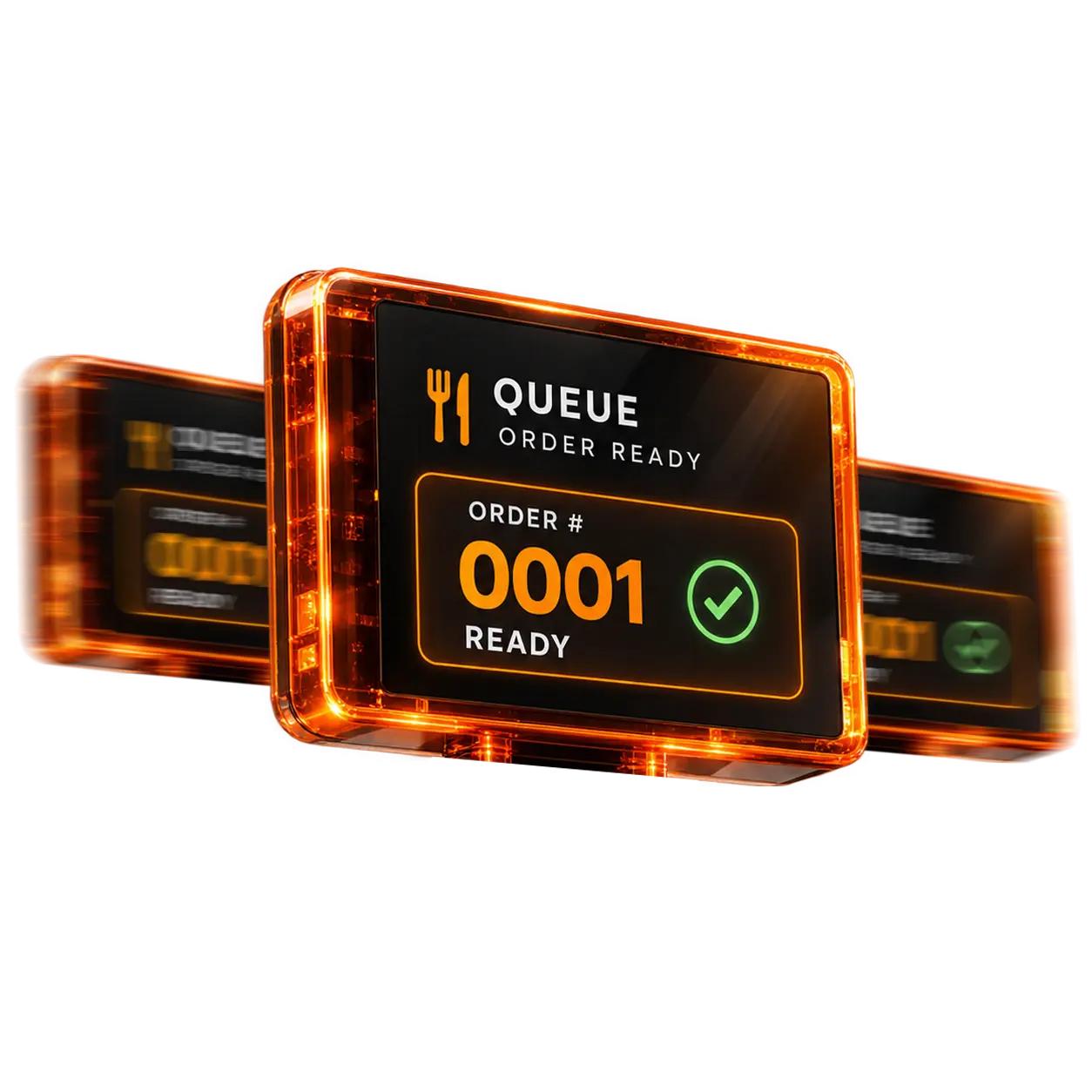
Order #0001 is ready
A customer-facing board that shows what is being prepared and what is ready, so nobody has to shout across the counter.
- Preparing and Ready columns on a second screen, with a chime when a number moves.
- Configurable columns for the way your counter actually works.
- Pickup counter with QR lookup and search by number or name.
Delivery and drivers
Know which driver has your money
The drivers module is a separately licensed add-on. It tracks the run from assignment to delivered, and it tracks the cash that came back with it.
- Driver directory with assignment and transfer between drivers.
- Out for delivery → delivered, with the time on each step.
- Cash on delivery collection and an uncollected total per driver.
Online ordering — frestopos.com · CLOUD
Your menu on the marketplace, your POS still in charge
The POS pulls from frestopos.com. That single architectural choice means it works behind NAT with no port forwarding, nothing in your restaurant is exposed to the internet, and the desktop app stays the single source of truth.
- Marketplace storefront with your menu published straight from the POS.
- Pickup and delivery orders arrive in the same queue, stamped #N0001.
- Live order tracking for the customer.
- Delivery zones, business hours and storefront theme, all set from the POS.
- Customer reviews with replies.
- Reservations come from the reservations add-on.
Inventory, recipes and purchasing
Sell a dish, deduct its ingredients
Recipes tie the menu to the stock room. That is what turns a sales total into a cost of goods, and a guess into a margin.
- Ingredients with units, minimum stock and SKU.
- Recipes that deduct ingredients on every sale.
- Receive stock with a moving average cost.
- Inventory count against expected quantity, with the difference kept.
- Waste recorded with a reason.
- Suppliers with ledgers and accounts payable.
- Purchase invoices and low-stock alerts.
- CSV import to get started with what you already have.
Cash and shift control
The drawer is counted, not assumed
Open the shift with a balance, record every movement with a reason, and close with the cash you actually counted. The difference is recorded rather than quietly absorbed.
- Several registers, each with its own accepted payment methods.
- Opening balance, cash in and cash out with a reason on every movement.
- Transfers between registers.
- Close the shift on counted cash, with the difference recorded.
- X and Z reports, and saved closures you can reopen and read.
Reports and owner analytics
The numbers an owner actually asks for
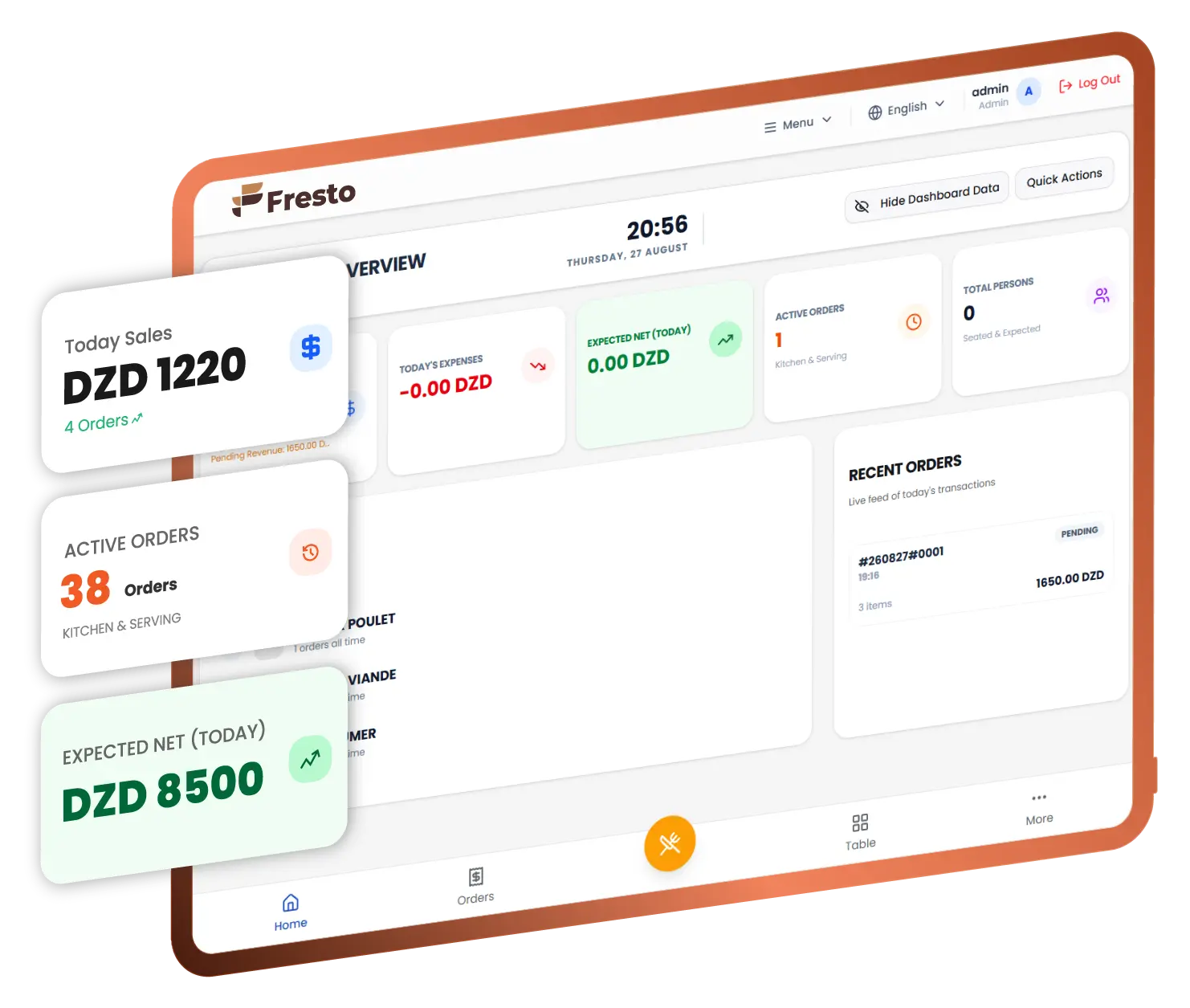
Two views: the daily dashboard for whoever is running the service, and the executive view for whoever carries the result at the end of the month.
- Daily KPIs: sales, cash in, cash out, expenses, waste, net, average ticket, guests.
- Executive view: cost of goods, gross profit, operating expenses, net profit and margin.
- Cash by register, best cashier and best waiter.
- Everything exports to CSV or Excel.
- Everything prints, to thermal or to A4 PDF.
Customers and loyalty
The regulars, and what they are worth
A customer file that carries the fiscal fields Algerian invoicing needs, the credit you extended, and the points they have earned.
- Customer database with RC, NIF, NIS and ART fields.
- Credit limits and accounts-receivable statements.
- Loyalty earn and redeem, with expiry.
- Promotions engine: fixed, percentage, product, coupon code and buy-X-get-Y.
Staff, roles and security
Decide exactly what each role can see
Permissions go down to the field: you can hand a supervisor the Z report with the profit lines masked, and see exactly what they will see before you save it.
- You design roles as you see fit
- Custom roles with inheritance and an effective-access preview.
- Per-field Z-report masking, with a "what this role sees" preview.
- A cash-drawer PIN per user, and PIN-gated refunds.
- Password recovery codes you print and keep — recovery works with no internet.
Modules
Start with the core. Switch on what you need.
Some add-ons are licensed separately from the core system. None of them is included by default, and the page says so everywhere it mentions them.
- Promotions — the discount and voucher engine.
- Drivers — delivery assignment, cash on delivery and driver tracking.
- Reservations — bookings, including those taken on frestopos.com.
- Kiosk — the self-ordering terminal.
The numbers we can actually stand behind
- Interface languages: EN, FR, AR, ES, ZH and more to come
- 5 Interface languages: EN, FR, AR, ES, ZH and more to come
- Internet connections needed to take an order
- 0 Internet connections needed to take an order
- Order channels in one queue: #0001, #K0001, #N0001
- 3 Order channels in one queue: #0001, #K0001, #N0001
Fresto next to the alternatives
The Fresto column describes what ships today. The other columns describe publicly known positioning and must be re-checked before you rely on them — we would rather leave a cell vague than invent a specification.
| Feature name | Fresto | Square for Restaurants | Loyverse | Odoo POS | Foodics | Local vendor |
|---|---|---|---|---|---|---|
| Works fully offline | Partial | Partial | Partial | Partial | Varies | |
| Data stored on your own machine | In the vendor cloud | In the vendor cloud | Self-hosted or cloud | In the vendor cloud | Varies | |
| LAN multi-terminal | Through cloud sync | Through cloud sync | Through cloud sync | Varies | ||
| Native ESC/POS printing | Partial | With configuration | Varies | |||
| Arabic right-to-left thermal receipts | Partial | With configuration | Varies | |||
| Self-order kiosk | Add-on module | Paid add-on | With configuration | Paid add-on | Varies | |
| Kitchen display with station routing | Basic | Varies | ||||
| Recipes and cost of goods | Partial | Basic | Varies | |||
| Owner P&L: gross and net | Partial | Varies | ||||
| Customer accounts receivable and term sales | Partial | Varies | ||||
| Per-field permission masking | Role level only | Role level only | Role level only | Role level only | Varies | |
| Order, drawer and expense audit trails | Partial | Basic | Varies | |||
| Online ordering marketplace | Optional — frestopos.com | With configuration | Varies | |||
| Pricing model | Quoted licence + modules | Subscription | Free tier + paid add-ons | Per app or per user | Subscription | Varies |
| Support in Algeria | EURL TECHPOS, Algeria | Through resellers | Through partners | Verify with the vendor |
How it works
Serving in four steps
The distributor does this with you. Nothing here needs a developer.
-
Run the setup wizard
Business, printing, kitchen, menu, cash — in that order. You come out of it with a till that prints a real ticket.
-
Activate online, once
One activation binds the licence to the machine. After that the licence lives locally, and the software keeps working with no connection.
-
Add terminals over your LAN
Point each client terminal at the Server machine. One restaurant, as many terminals as your network carries — no per-seat cloud sync in the middle.
-
Connect frestopos.com when you want it
Optional. Publish the menu to the marketplace and pull online orders into the same queue, with the POS still holding the truth. [CLOUD]
Pricing
Quoted, not published
Your setup decides the number: how many terminals, which add-ons, whether you want the marketplace. Ask and you get it in writing — no per-seat surprise at renewal.
-
Start here
Core system
On request
The full desktop system on one Server terminal and as many client terminals as your LAN carries.
- Point of sale, tables and floor plan
- Kitchen display, kitchen printing, queue and pickup
- Inventory, recipes and purchasing
- Cash, shifts, X and Z reports
- Owner analytics with cost of goods and net profit
- Customers, loyalty, staff and roles
- Backups, portable install and signed updates
-
MODULE
Add-on modules
On request
Four modules, licensed separately. None of them is included in the core licence.
- Promotions engine and gift vouchers [MODULE]
- Drivers, delivery runs and cash on delivery [MODULE]
- Reservations [MODULE]
- Self-order kiosk [MODULE]
-
CLOUD
Online ordering
On request
The optional frestopos.com connection. Commercial terms come from the distributor, in writing.
- Marketplace storefront with your menu [CLOUD]
- Menu, hours, zones and theme published from the POS [CLOUD]
- Online orders pulled into the same queue as #N0001 [CLOUD]
- Live order tracking and customer reviews [CLOUD]
Straight answers
Questions we get asked before the demo
Including the ones where the answer is no.
What happens when the internet goes down?
Service carries on. The database sits on your Server machine and the terminals talk to it over your own LAN, so orders, tickets, printing and the cash close all keep working. Only the optional frestopos.com features wait for the line to come back.
Does Fresto need an internet connection at all?
Once, to activate the licence. After that only the optional online-ordering connection uses the internet. Even password recovery works offline, through recovery codes you printed in advance.
What hardware does it run on?
A Windows PC. It prints to ESC/POS 58 mm and 80 mm printers over network TCP:9100, the Windows RAW spooler or Bluetooth, opens a cash drawer with a configurable pulse pin and timing, and drives a serial VFD pole display and USB barcode scanners. There is no macOS, Linux or mobile build, and no scale or weighing-hardware integration — weight-based items are priced from a weight you type in.
How many terminals can I run?
As many as your LAN carries. One machine is the Server terminal and holds the database; the rest are clients. Fresto is built for a single restaurant with unlimited terminals.
Where is my data, and can I take it with me?
In one portable folder on your Server machine. Back it up to a single .fbk file with an integrity manifest — on a schedule, and automatically before every update — and restore it on another machine. You copy the folder, you keep the business.
Can I migrate my existing menu and stock?
Products, ingredients and customers import from CSV. Bring an export from your current system to the demo and we will tell you honestly what comes across and what has to be re-entered.
Do receipts really print correctly in Arabic?
Yes. Arabic is shaped and rasterised into the ticket image before it reaches the thermal printer, so the letters join instead of arriving as disconnected glyphs, and the pole display is driven in CP1256. Arabic templates ship for thermal tickets and for A4 PDF.
What does online ordering cost me per order?
The frestopos.com commercial terms are set by the distributor, not by the software. Ask for them in writing when you book the demo — we would rather quote you than guess on a web page.
What do I need for the self-order kiosk?
A touchscreen Windows machine, and the kiosk module, which is licensed separately from the core system. The kiosk has a low-performance mode for older hardware, a fullscreen lock, an idle reset and its own allowed languages.
How long does training take?
The till is learned in a shift. The setup wizard walks business, printing, kitchen, menu and cash in order, and the distributor configures it with you rather than handing you a manual.
What support and warranty do I get?
A 12-month software warranty, and support from EURL TECHPOS in Algeria on +213 698 98 25 25 — by phone and on WhatsApp, in French and Arabic, through a reseller network.
Can I run several restaurants from one Fresto?
No, and we would rather say so now than at the demo. Fresto manages one restaurant with unlimited terminals on its LAN. There is no branch model, no central dashboard spanning several restaurants, and no shared hosting that mixes separate companies together.
Drivers
We make it easy to find your hardware drivers
| Name | Platform | Size | Action |
|---|---|---|---|
| [TD80] - Neutral Driver - Windows [TD80] - Neutral Driver - Windows-EN | Windows | 4.9 MB ZIP | Download — [TD80] - Neutral Driver - Windows |
See it on your own menu.
Book a demo and we will run your dishes, your printers and your Arabic receipt through the system — not a sample restaurant.


Book a demo
Tell us what you run and we will come back with a time and a written quote. No pricing games.
- Phone +213 698 98 25 25
- WhatsApp +213 698 98 25 25
- Email contact@frestopos.com
- Online ordering frestopos.com